- Ivan Luminaria/
- Database Strategy/
- Oracle/
- Oracle from On-Premises to Cloud: Strategy, Planning and Cutover/
Oracle from On-Premises to Cloud: Strategy, Planning and Cutover

Last week a colleague wrote to me: “I need to move Oracle to the cloud, how long will it take?” I answered with a question: “Do you know how many Enterprise Edition features you’re actually using?” Silence.
It’s the same scene every time. Someone up the chain decides to go to the cloud — because the hosting contract is expiring, because the CFO read a Gartner report, because the new CTO wants to modernize. And the first thing that comes up is: let’s do a lift-and-shift, take what we have and move it. Three months, budget approved, go.
The point is that Oracle is not an application you pack into a container and ship. It’s an ecosystem of licenses, dependencies, kernel configurations, network connections running through firewalls and VPNs. Moving it without understanding it first means ending up in the cloud with the same old issues — plus a few new ones.
The client and the context #
The project was for a manufacturing company in northern Italy, one of those that turns over a fair amount but runs a lean IT department — four people for everything, from the ERP to the management systems. Their Oracle 19c Enterprise Edition ran on a two-node RAC with Data Guard replicating to a secondary site twenty kilometers away. Two terabytes of data, around two hundred concurrent users during peak hours, and a nightly batch feeding the data warehouse.
The hosting provider had announced the contract would expire within six months, and the renewal came with a 40% price increase. Management had decided: we migrate to the cloud. Three months to deliver, the project had to close before the contract deadline.
When I arrived, the plan was already written: lift-and-shift to AWS. The system integrator had proposed a couple of EC2 instances, some EBS storage, and off we go. On the Excel spreadsheet it all looked simple. Two rows: current cost, future cost. The future cost was lower. Everyone happy.
Why I said no to AWS #
The first thing I did was ask for the license report. Oracle 19c Enterprise Edition with RAC, Data Guard, Partitioning and Advanced Compression options. On on-premises hardware with a direct support contract with Oracle.
This is where things get complicated. Oracle has a licensing policy for the cloud that isn’t exactly intuitive. On AWS, each vCPU counts as half a processor for licensing purposes. Two RAC nodes on EC2 with, say, 8 vCPUs each means 8 processor licenses. With Enterprise Edition plus the active options, the license bill explodes. And Oracle, when it audits — and it does — doesn’t look at what’s written in the cloud provider’s contract. It looks at what’s running on the servers.
On OCI — Oracle Cloud Infrastructure — the situation is different. Oracle recognizes its own OCPUs at a 1:1 ratio, and more importantly offers the BYOL (Bring Your Own License) program that lets you reuse existing on-premises licenses. The client had already paid for those licenses. Moving them to OCI cost nothing extra. Moving them to AWS meant buying them again or risking an audit.
I prepared a comparison sheet with three scenarios: AWS with new licenses, AWS with the audit risk, OCI with BYOL. The numbers spoke for themselves. Management changed their mind in half an hour.
The assessment: two weeks worth six #
Before touching anything, I asked for two weeks for a complete assessment. It’s not a phase you can skip. I learned that the hard way on a previous project where we discovered mid-migration that the database used Advanced Queuing with PL/SQL procedures depending on a hardcoded IP address. Two days of downtime for something that could have been found in five minutes with a grep.
The assessment covered four areas.
Features in use. I ran Oracle’s Database Feature Usage Report (DBMS_FEATURE_USAGE_INTERNAL) to understand which Enterprise Edition options were actually active. RAC was obvious, Data Guard too. But Partitioning was only used on three tables, and Advanced Compression had been enabled years earlier by a consultant and nobody knew if it was still needed. I checked: the compressed tables were all in the historical archive, stuff that got read once a year for auditors. Advanced Compression could be deactivated with zero impact.
External dependencies. The database received data from four source systems via DB links, two of which pointed to MySQL databases on servers in the same data center. There were also outbound HTTP calls from PL/SQL procedures to an internal REST API. All of this had to keep working after the migration, which meant VPN site-to-site or FastConnect between OCI and the on-premises data center.
Network and latency. I measured the latency between the data center and the nearest OCI region (Frankfurt). With a sustained tnsping test, the round-trip was 12 milliseconds. Acceptable for interactive queries, but the nightly batch did a massive join via DB link with a remote MySQL — and there, 12 milliseconds multiplied by millions of rows meant hours of extra processing. The solution was straightforward: replicate the MySQL data into a staging table on Oracle before launching the batch. One extra step, but the batch went from six hours to two.
Sizing. I analyzed AWR reports from the previous four weeks to understand the actual workload profile. CPU peak was at 35% across the two RAC nodes, memory usage never exceeded 48 GB. On OCI I sized two VM.Standard.E4.Flex instances with 16 OCPUs and 256 GB of RAM each for the RAC, plus a third for the Data Guard standby. Storage on Block Volumes with balanced performance tier — 60 IOPS per GB, sufficient for the measured I/O profile.
The migration strategy: Data Guard, not Data Pump #
When it comes to Oracle migration, the main options are three: Data Pump (logical export/import), Zero Downtime Migration (ZDM), and Data Guard.
Data Pump was out of the question. Two terabytes of data with logical export means hours of export, hours of transfer, hours of import. And during all that time the source database has to stay down, or you end up with inconsistent data. For a manufacturing company running three shifts, shutting down the database for a full day was not an option.
ZDM is Oracle’s recommended tool for migrations to OCI. It works, but it adds an automation layer on top of Data Guard and Data Pump. On an infrastructure with RAC and non-standard configurations — like cross-engine DB links — I prefer to have direct control.
The strategy was: set up Data Guard between the on-premises RAC and a standby instance on OCI, let it synchronize, then perform the cutover with a controlled switchover. Estimated downtime: under one hour. Actual downtime: forty-two minutes.
Cross-site Data Guard configuration #
The tricky part wasn’t Data Guard itself — we configure that every week. The tricky part was making it work across the network. Data Guard needs a redo transport channel between primary and standby, and that channel must be reliable with predictable latency.
I configured a site-to-site VPN tunnel between the data center and OCI, with a dedicated bandwidth of 500 Mbps. The average redo generate rate was 15 MB per minute — well within the bandwidth budget. I also wanted to test the worst case: during the nightly batch, redo reached 180 MB per minute. That also got through, but with a transport lag climbing to 45 seconds. Acceptable for Data Guard in Maximum Performance mode.
The broker configuration was standard:
DGMGRL> CREATE CONFIGURATION dg_migration AS
         PRIMARY DATABASE IS prod_rac
         CONNECT IDENTIFIER IS prod_rac;

DGMGRL> ADD DATABASE oci_standby AS
         CONNECT IDENTIFIER IS oci_standby
         MAINTAINED AS PHYSICAL;

DGMGRL> ENABLE CONFIGURATION;
The first full sync took 14 hours — two terabytes over a 500 Mbps VPN works out to exactly that. After the initial synchronization, Data Guard kept the standby aligned with an average apply lag of 3 seconds.
The cutover: one night, one plan, zero surprises #
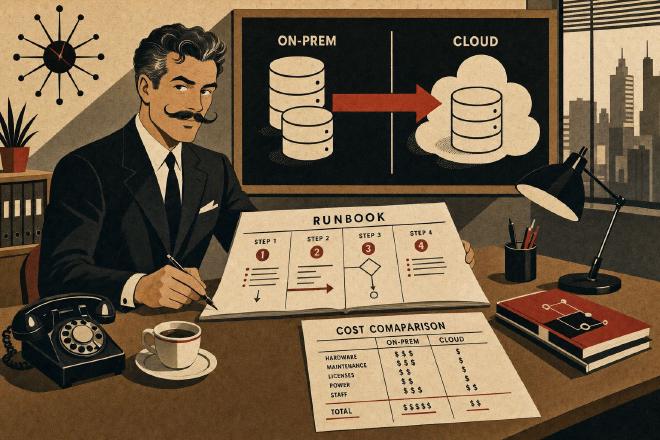
The cutover was scheduled for a Saturday night. I prepared a runbook of 47 steps — yes, forty-seven. Each step with the estimated time, the exact command, the success criteria and the rollback procedure. Because if something goes wrong at three in the morning, you don’t want to be improvising.
The critical sequence:
22:00 — Application stop. Verified all active sessions had terminated.
22:15 — Final transport lag check: 2 seconds. Apply lag: 0.
22:20 — Switchover via Data Guard Broker:
DGMGRL> SWITCHOVER TO oci_standby;22:22 — Switchover completed in 98 seconds. The new primary was on OCI.
22:25 — Connection string update in the application connection pool. The SCAN listener on OCI was already configured.
22:30 — Connectivity testing: login, queries on critical tables, test insert.
22:45 — Batch job test: execution of a mini-batch on a data sample.
23:00 — Gradual opening to night shift users.
23:30 — Monitoring: AWR snapshots every 15 minutes instead of the default 60.
By half past midnight everything was running. The actual downtime — from the moment the last user disconnected to the moment the first one reconnected — was 42 minutes.
After the migration: the things no plan covers #
The first week after cutover is what separates a successful migration from a “technically successful but everyone’s complaining” migration. Three things surfaced.
Timezones. The VMs on OCI used UTC, the on-premises database used Europe/Rome. PL/SQL procedures calculating dates with SYSDATE returned wrong times. The ALTER DATABASE SET TIME_ZONE requires a database restart and rebuilding TIMESTAMP WITH LOCAL TIME ZONE columns. I discovered this on Monday morning when the logistics manager called saying that orders had dates “from the future.” Fixed in two hours, but it could have been avoided if I’d included the timezone in the runbook.
TLS. Outbound HTTP calls from PL/SQL procedures used UTL_HTTP with Oracle wallet for certificates. The wallet had been configured with the data center’s certificates. On OCI, the CA certificates were different. The procedures failed with ORA-29024: Certificate validation failure. I had to recreate the wallet importing the new CA certificates and redeploy it.
The scheduler. Oracle Scheduler jobs (DBMS_SCHEDULER) had windows and schedules based on the database timezone. After the timezone fix, the maintenance windows realigned, but three jobs that used SYSTIMESTAMP directly in PL/SQL code kept firing an hour early for a week — until I found and fixed them one by one.
Real costs: beyond the spreadsheet #
Three months after the migration, I prepared a real cost report for management. The comparison with the old hosting was instructive.
| Item | On-premises | OCI |
|---|---|---|
| Compute (RAC 2 nodes + standby) | included in hosting contract | €4,200/month |
| Storage (2 TB + backup) | included | €680/month |
| Networking (VPN + egress) | €200/month | €350/month |
| Oracle licensing | €18,000/year (support) | €0 (BYOL) |
| Hosting/colocation | €8,500/month | €0 |
| Annual total | ~€120,000 | ~€63,000 |
The savings were there, and significant. But the number that struck the CFO most wasn’t the total: it was the networking cost. The site-to-site VPN and OCI egress traffic cost almost double what they used to. It’s a line item that’s always underestimated in cloud quotes.
And then there was the hidden cost: my time. Two months of consulting for the assessment, planning, migration and post-migration tuning. That cost didn’t show up in the monthly comparison, but it was real.
What I learned (again) #
Every migration teaches you something, even when you think you’ve seen it all.
Oracle licensing in the cloud is a minefield. Reading the documentation isn’t enough: it’s necessary to talk to Oracle, get written confirmations, and keep track of everything. A post-migration audit can turn savings into a catastrophe.
The assessment is not optional. Those initial two weeks prevented at least three problems that would have required weeks of fixing after the migration. The feature usage report, the external dependency map, the latency tests — they’re boring work, but they’re the difference between a 42-minute cutover and a 42-hour one.
Cross-site Data Guard is the cleanest migration strategy for Oracle. It gives you a permanent safety net: if something goes wrong, you switch back and you’re at the starting point. With Data Pump, if something goes wrong mid-import, you start over from zero.
And the timezone. God, the timezone. Put it at the top of the checklist.
Glossary #
OCI — Oracle Cloud Infrastructure, Oracle’s cloud platform. For Oracle databases it offers significant licensing advantages through the BYOL program and the 1:1 OCPU ratio.
BYOL — Bring Your Own License, a program that allows reusing existing Oracle on-premises licenses on OCI cloud without additional licensing costs.
RAC — Real Application Clusters, Oracle technology that allows multiple instances to simultaneously access the same database, providing high availability and horizontal scalability.
Data Guard — Oracle technology for real-time replication of a database to one or more standby servers, ensuring high availability and disaster recovery.
ZDM — Zero Downtime Migration, Oracle’s tool for automating migrations to OCI by combining Data Guard and Data Pump under an orchestration layer.
Switchover — A planned Data Guard operation that reverses the roles between primary and standby without data loss. Unlike failover, it’s reversible and controlled.
AWR — Automatic Workload Repository, a diagnostic tool built into Oracle Database for collecting and analyzing performance statistics.
Transport Lag — The delay in transmitting redo logs from the primary database to the standby in a Data Guard configuration. A critical indicator of replication health.
SCAN Listener — Single Client Access Name, an Oracle RAC component that provides a single access point to the cluster, automatically distributing connections across available nodes.
Cutover — The critical moment in a migration when the production system is definitively moved from the old to the new infrastructure.