- Ivan Luminaria/
- Database Strategy/
- Oracle/
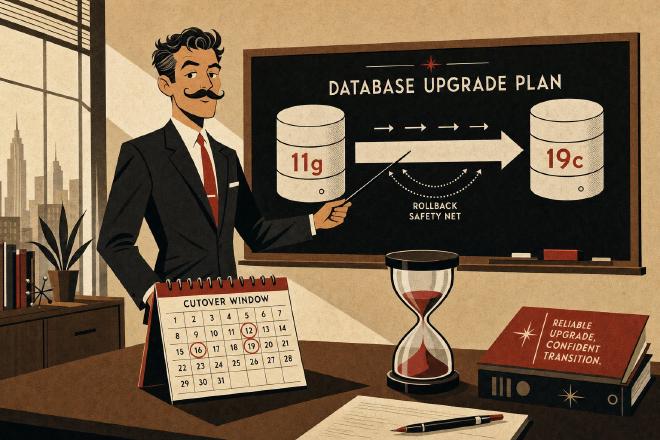
- Oracle 11g R2 → 19c on OCI: 8 TB in finance, an upgrade plan with phases and rollback/
Oracle 11g R2 → 19c on OCI: 8 TB in finance, an upgrade plan with phases and rollback

How to break through decision paralysis on an EOL Oracle 11g instance still running in production, choose the right upgrade strategy for 8 TB cloud-to-cloud, and bring the cutover in at four hours with rollback ready at every step.
An instance nobody wanted to touch #
There’s a pattern that anyone who has spent years working with financial systems knows well. An Oracle 11g Release 2 instance — specifically 11.2.0.4, the last minor release of the entire 11g family, shipped in 2013 — is still running in production in 2026. On top of it sits a middle-office system for intraday exposure limit monitoring, built over the course of a decade on complex PL/SQL, with 420+ packages and procedures, 1,400 application objects, and an accounting posting logic that has accumulated layers across multiple business releases. The database weighs 8 TB and grows by a few hundred GB per year. It runs on a dedicated OCI VM.Standard instance, migrated to the cloud four years earlier via a clean lift-and-shift.
Oracle declared Premier Support for 11g ended in January 2015, Extended Support ended in December 2020. For nearly six years the instance has received no security patches, no major bug fixes, no quarterly CPU. In internal audits over the last three years the instance has been consistently classified as “high risk,” but no incident has ever been serious enough to force a decision. Meanwhile the compliance framework has shifted: DORA has entered into force, Banca d’Italia has sharpened its expectations on the supportability of critical infrastructure, and external auditors have started asking for remediation plans with actual dates.
Why was the instance stuck on 11g? Not for lack of technical competence — the internal team knew how to do an upgrade. It was stuck because of decision paralysis. The application on top was critical (stopping it meant traders couldn’t see their real-time exposure limits), the downtime window the business could defend was at most four hours on a Saturday night, none of the application vendors involved were still available for support, and nobody on the internal team wanted to put their name on an upgrade procedure that touched the core of the accounting posting logic. It was a classic case of “if it ain’t broke, don’t fix it” — understandable, legitimate, unsustainable.
When the decision can no longer be deferred #
At a certain point the risk balance flipped. The risk of an unpatchable vulnerability became larger than the risk of the cutover. The risk committee asked for a plan with firm dates and demonstrable rollback. The plan was proposed after six weeks of analysis, discussed in two meetings with the business, and approved with the formal commitment to keep the old instance in read-only mode for two weeks after cutover, in case a return was needed.
The target was chosen as 19c (19.24) — not 21c, not 23ai. Two reasons. First: 19c is the Terminal Release of the 12.2 branch, which in Oracle parlance means it is the release designated for Long-Term Support (Premier Support through 2027, Market-Driven Support through 2032). It is the most stable and best-documented version available, with a mature patch set ecosystem. Second: 19c is the minimum compatible target for a direct upgrade from 11.2.0.4 (direct upgrade is supported — no intermediate hop through 12c required). Jumping straight to 21c or 23ai would have required a longer multi-release hop and greater post-migration stability risk, with little functional gain for a legacy application.
The technical options on the table #
For an 8 TB Oracle database serving as the storage layer for a mission-critical application with a four-hour cutover window, there are five realistic strategies. It is worth laying them out together, because the choice is a trade-off of preparation time, actual downtime, rollback complexity, and licensing cost for auxiliary tooling.
| Strategy | Downtime | Prep | Rollback | Notes |
|---|---|---|---|---|
| DBUA in-place (direct 11.2.0.4 → 19c) | 6–12 hours on 8 TB | Days | Difficult (restore from backup) | Supported but too much downtime for this case |
| Data Pump expdp/impdp full | 10–20 hours on 8 TB | Days | Easy (source instance intact) | Slow but clean. Too much downtime |
| Transportable Tablespaces (TTS) + Data Pump metadata | 4–6 hours on 8 TB | 1 week | Easy | Long initial copy, acceptable cutover |
| Cross-Platform Transportable Tablespaces with Incremental Backups (XTTS) | 2–4 hours on 8 TB | 2 weeks in parallel | Easy (RO on source) | Chosen — minimizes cutover at the cost of longer prep |
| Oracle Zero Downtime Migration (ZDM) | 10–30 minutes | 3–4 weeks + licensing | Automated | Premium option, ruled out due to tool cost + setup complexity |
The choice landed on XTTS with incremental backups. It allows splitting the upgrade into two distinct phases: one long but invisible to the business (two weeks of copy and synchronization prep) and one short and visible (the four-hour Saturday night cutover). The method is documented by Oracle in MOS Note 2471245.1 and is the most widely used in production for large cross-version, cross-platform database migrations. Rollback remains straightforward because the source is never touched — it stays in production right up to the cutover moment, and can be reactivated within thirty minutes even afterward.
The plan, in six phases #
Phase 0 — Assessment (2 weeks before cutover) #
Run preupgrd.sql (the pre-upgrade tool distributed with 19c, to be executed on the 11.2.0.4 source after copying it from the 19c download) plus autoupgrade.jar in analyze mode. The output is a report listing:
- Invalid objects to remediate before the upgrade
- Deprecated
init.oraparameters (classic in 11g:background_dump_dest,user_dump_dest,plsql_v2_compatibility) - Deprecated features used by the application (most common:
LONGandRAWtypes — verify whether the app has dependencies) - Stale statistics on large tables
- Passwords using weak hashing (11g accepted the default
DES; 19c requiresSHA-2)
In this case the report flagged 23 invalid objects (almost all procedural, fixable with a recompile), 7 deprecated parameters in the spfile, and no use of LONG/RAW in the application code (verified via dba_tab_columns). Two weeks were enough to clean everything up without rushing.
Phase 1 — Build the 19c target environment on OCI #
In parallel with Phase 0, provision a new OCI instance running 19c (19.24 current quarterly RU), same shape as the source but with local NVMe storage for import performance rather than network block volume. Clean installation, network configuration, listener, and service name identical to the source (to minimize application changes at cutover). USER tablespaces are created empty with the same topology as the source — same names, same initial sizes, same extension settings. System tablespaces (SYSTEM, SYSAUX, UNDO, TEMP) are the native 19c ones, not transported.
Phase 2 — Initial RMAN level 0 backup + initial rollforward (prep days 1–7) #
Level 0 incremental backup of all USER tablespaces on the source, in backupset format, via RMAN with high parallelism (CONFIGURE DEVICE TYPE DISK PARALLELISM 8). Transfer to the target via OCI Object Storage (shared bucket between the two instances — low latency, no internet hop). Initial rollforward on the 19c target via cross-version convert (RMAN> CONVERT DATAFILE ... TO PLATFORM 'Linux x86 64-bit' if cross-platform, or a straightforward restore if same platform).
Duration: approximately 5–6 days for 8 TB on that storage shape. The operation runs entirely in the background with no impact on the production source.
Phase 3 — Cyclic level 1 incremental backups (prep days 7–14) #
From that point on, RMAN level 1 incremental every 4 hours on the source (BACKUP INCREMENTAL LEVEL 1 FOR RECOVER OF COPY WITH TAG 'xtts_incr' ...). Continuous transfer to the target, rollforward applied on the target. The lag between source and target stays under 6 hours throughout the week before cutover. Monitoring via dedicated scripts tracking the SCN of both instances.
Phase 4 — Pre-cutover testing (weekend before go-live) #
In a staging environment — a full copy of the application and database — a complete simulation of the cutover procedure. Application validation against the 19c endpoint, smoke tests of all nightly batch jobs, tests of all online services calling complex stored procedures. Four behavioral differences surfaced and were corrected (none serious: one ORA-29913 on an external table with a hardcoded absolute path, two queries with deprecated hints, one DBMS_SCHEDULER job with a parameter whose format had changed).
Phase 5 — Night cutover (Saturday night, 4 hours) #
| Time | Action |
|---|---|
| T−00:30 | Communication to business team: freeze imminent |
| T+00:00 | SHUTDOWN IMMEDIATE of the application (stop writes on source) |
| T+00:10 | Final RMAN level 1 incremental on source |
| T+00:40 | Apply final incremental on 19c target |
| T+01:00 | 11g source: all USER tablespaces set to READ ONLY |
| T+01:10 | Metadata export via Data Pump (expdp TRANSPORT_TABLESPACES=...) — all USER tablespaces + users + grants + public synonyms + sequences + views + packages + triggers + jobs |
| T+01:40 | Physical transport of USER datafiles from source to target (metadata already applied) + metadata import on 19c (impdp TRANSPORT_DATAFILES=... TRANSPORT_TABLESPACES=... REMAP_SCHEMA=... if needed) |
| T+02:30 | ALTER TABLESPACE ... READ WRITE on target + UTL_RECOMP.RECOMP_PARALLEL to recompile invalid objects |
| T+03:00 | Smoke test of all application services against the new 19c endpoint |
| T+03:30 | Application DNS service name switch (TTL lowered preventively to 60 seconds) to the new endpoint |
| T+04:00 | GO-LIVE |
Phase 6 — The rollback plan (two weeks after go-live) #
Two safety nets, in order of increasing invasiveness:
Net 1 — DNS switch back: the old 11g stays running in read-only mode for 14 days. If serious unresolvable problems arise in the first few hours, it is enough to set the source tablespaces back to READ WRITE (a matter of seconds) and switch the DNS service name back. The application returns to talking to 11g in under 30 minutes, losing at most the data written to 19c after cutover (quantifiable and recoverable via Data Pump from 19c back to 11g, if needed). Cost of this net: keeping the 11g instance running for two extra weeks.
Net 2 — OCI snapshots: block-level snapshot of the 19c instance before cutover, plus a snapshot of the 11g at its last RW state. In the event of a catastrophe during the cutover itself (e.g., metadata corruption during import), restore from snapshots in 1–2 hours. Rarely needed in practice, but it gives the risk committee the peace of mind required to approve the plan.
The first Monday morning #
The first Monday morning is the critical moment. Market open brings the first wave of real load onto a 19c instance that until then had only seen the Saturday night test. Careful monitoring during the first 48 hours focuses on three areas:
- Changed execution plans: 19c introduces a cost-based optimizer significantly different from 11g — Automatic SQL Plan Management, a more aggressive Statistics Advisor, new join algorithms. In this case, across 420+ application packages, 11 critical queries changed plan with a performance regression. All resolved within 48 hours using targeted hints (
USE_NL,INDEX) orSPM baselinecaptures taken from the previous plan run in staging. - Statistics: full collection post-upgrade using the new 19c optimizer, not reusing 11g values, which would be stale on different memory structures. A heavy operation (hours), but necessary.
- AWR comparison: AWR snapshots for 48 hours pre-cutover on 11g and 48 hours post-cutover on 19c, compared with
DBMS_WORKLOAD_REPOSITORY.AWR_DIFF_REPORT_HTML. No systemic degradation; net improvement on several batch queries (19c has an adaptive join that 11g lacked).
After 14 days, with zero rollbacks needed and stable metrics, the old 11g was shut down and archived (snapshot preserved for 90 days for audit purposes, then normal retention). The risk committee closed the item on its agenda for the first time in five years.
What to take away, if you are in the same situation #
An upgrade from 11g to 19c is not technically complicated — it is politically complicated. The technique is well known, documented, repeated across thousands of implementations. What actually keeps EOL instances running in production is the combination of: a critical application with no active vendor support, a tight downtime window, and the absence of a demonstrable rollback procedure that lets whoever signs off sleep the night after the cutover.
Three questions are worth asking if you are evaluating a similar upgrade:
1. What is the maximum application downtime defensible to the business, and which technical strategy fits within that window? If the answer is “at most four hours on a Saturday night,” XTTS with incrementals is almost mandatory for databases above 2–3 TB. If the answer is “at most ten minutes,” ZDM is the only realistic option — and the tool needs to be budgeted.
2. What is the rollback plan, measured in minutes? A rollback plan that amounts to “full restore from backup” is not a rollback plan — it is a hope. A serious plan is “DNS service name switch back in 30 minutes with the old instance running read-only.” The difference, in front of a risk committee, is everything.
3. Who signs the cutover procedure, and what does that person need in order to sign? In the real cases I have seen, the blocker is never technical — it is finding that signature. When the plan includes measurable rollback, pre-cutover snapshots, and a full pre-test on staging, the signature comes. Without those elements, the plan sits in a drawer for years.
An 11g instance running in production in 2026 is not a mistake — it is a symptom. The upgrade plan is not just engineering: it is the moment when a decision that had been frozen for years is finally set back in motion.
Ivan Luminaria is a Technical Leader for mission-critical databases. He works with CIOs, CTOs, and IT Directors at mid-tier banks, insurance companies, telcos, utilities, and large Italian public-sector organizations, using a cross-layer analysis method built over nearly thirty years of real-world systems.
Official sources #
- Oracle Database Upgrade Guide 19c — Direct Upgrade Paths to Oracle Database 19c
- Oracle Database Backup and Recovery User’s Guide 19c — Transportable Tablespaces
- Oracle Support — MOS Note 2471245.1: Using RMAN Incremental Backups for Cross-Platform Transportable Tablespace —
<TODO: scout official public URL for MOS Note 2471245.1> - Oracle AutoUpgrade Tool — AutoUpgrade Documentation 19c
- Oracle Zero Downtime Migration — ZDM Overview
Glossary #
- XTTS (Oracle) — Cross-Platform Transportable Tablespaces: an RMAN-based technique that transports tablespaces across platforms and versions using incremental backups to minimize cutover downtime.
- Terminal Release (Oracle licensing) — the final release in a major branch, designated for long-term support. For the 12.2 branch, 19c is the Terminal Release, with Premier Support through 2027.
- SPM baseline (Oracle) — SQL Plan Management baseline: a stored execution plan that the optimizer is instructed to prefer, used to prevent plan regressions after upgrades or statistics changes.
- AWR (Oracle) — Automatic Workload Repository: periodic snapshots of workload metrics, the foundation of AWR reports and ADDM analysis. Used here for pre/post-upgrade performance comparison.
- EOL (End of Life) — the point at which a vendor ceases to provide patches, security fixes, and support for a software version. Oracle 11g R2 reached EOL for Extended Support in December 2020.