- Ivan Luminaria/
- Database Strategy/
- Data Warehouse/
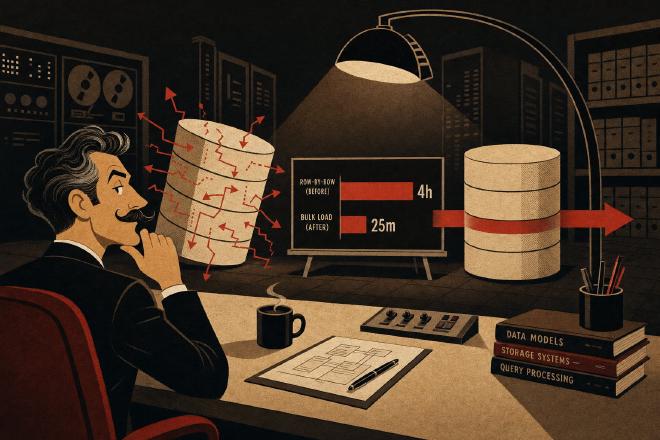
- ETL Oracle: from 4 hours to 25 minutes with staging tables, MERGE and parallel DML/
ETL Oracle: from 4 hours to 25 minutes with staging tables, MERGE and parallel DML

The window that was closing #
The client’s DBA sent us a terse message: “Last night’s batch finished at 7:12. The 7:00 reports were empty.”
It wasn’t the first time. For a few weeks the nightly load had been slipping — first 3.5 hours, then nearly 4, then beyond. The batch window was fixed between 11 PM and 6:30 AM, and the system was starting to overrun it regularly. The next day we sat down with the client’s DBA in front of the logs and started looking at what was actually happening.
The context: an Oracle 19c Data Warehouse, a legacy ETL process written in PL/SQL, 15 million rows to load every night from operational sources. The volume hadn’t changed significantly from the previous year — it had grown 12%, nothing dramatic. The slowness wasn’t a scale problem: it was a problem with how the code was written.
What the logs were telling us #
The first tool we reached for was AWR [1]. An AWR report over the nightly window immediately showed where the time was going: the top SQL by elapsed time was a PL/SQL block with a cursor iterating row by row over 15 million records.
-- original pattern (simplified) — this was exactly the problem
FOR rec IN (SELECT * FROM stg_source_data WHERE process_flag = 'N') LOOP
    -- lookup on reference table with no index
    SELECT dim_id INTO v_dim_id
    FROM dim_customer
    WHERE ext_code = rec.customer_code;

    INSERT INTO fact_sales (
        dim_customer_id, sale_date, amount, product_id
    ) VALUES (
        v_dim_id, rec.sale_date, rec.amount, rec.product_id
    );

    v_count := v_count + 1;
    IF MOD(v_count, 100) = 0 THEN
        COMMIT;
    END IF;
END LOOP;
Three lines of code, three causes of slowness. Let’s go through them.
The four causes of an ETL that can’t keep up #
1. Row-by-row INSERT (row-by-row = slow-by-slow)
It’s one of the most-quoted phrases in Oracle training, yet it keeps showing up in production. Every single INSERT generates a round-trip to the buffer cache, updates undo segments, writes to the redo log. Multiplied by 15 million rows, the per-operation context overhead becomes dominant compared to the actual cost of the data itself.
The comparison we ran internally: a bulk INSERT ... SELECT over 15 million rows takes a fraction of the time compared to 15 million individual INSERT statements, even with identical data. It’s not an I/O issue — it’s per-operation overhead.
2. Lookup with no index on dim_customer
The dim_customer table had around 2.8 million rows. The ext_code column — the one used to join with the source — had no index at all. Every lookup was a full table scan of 2.8 million rows, repeated 15 million times.
AWR showed dim_customer as the table with the highest number of logical reads across the entire nightly window. Not a coincidence.
3. COMMIT every 100 rows
Frequent COMMITs are often introduced with good intentions: “if something goes wrong, we don’t lose everything.” In practice, on Oracle, every COMMIT carries a non-trivial cost: redo log buffer flush, SCN update, synchronization with background processes. Doing that 150,000 times per night (15M / 100) adds measurable overhead and, more importantly, prevents the database from optimizing operations in batch.
4. No parallelism
The process was entirely serial: a single PL/SQL process, one cursor, one loop. Oracle 19c on that server had 16 cores available, but the load used exactly one of them all night long.
The rewrite: staging, MERGE, bulk, and parallel #
The strategy we adopted with the team came down to four moves, in the order we implemented them.
Staging table with bulk load #
The first step was separating the load from the transformation. Data from the source is first loaded into a staging table with a single INSERT /*+ APPEND */ ... SELECT — a single bulk operation that bypasses the buffer cache and writes directly to the datafiles (direct path insert) [2].
-- staging load: direct path insert, nologging
INSERT /*+ APPEND PARALLEL(stg_sales_load, 8) */ INTO stg_sales_load
    NOLOGGING
SELECT
    s.customer_code,
    s.sale_date,
    s.amount,
    s.product_id
FROM source_sales_ext s  -- external table or db link
WHERE s.load_date = TRUNC(SYSDATE);

COMMIT;  -- single commit after the bulk
The APPEND hint activates direct path insert. NOLOGGING reduces redo log writes (acceptable for a staging table rebuilt every night). PARALLEL distributes the work across 8 parallel processes.
Index on dim_customer.ext_code #
Simple, but necessary. Before any transformation:
CREATE INDEX idx_dim_customer_ext_code
    ON dim_customer (ext_code)
    PARALLEL 4
    NOLOGGING;
After creation, the lookups against 2.8 million rows became index range scans on a highly selective column. The per-lookup cost dropped sharply.
MERGE instead of separate INSERT + UPDATE #
The original process also had an implicit upsert logic: if a row already existed in fact_sales (for partial reprocessing), it needed to be updated; otherwise inserted. The original code handled this with a SELECT COUNT(*) before every INSERT, adding yet another round-trip per row.
The rewrite uses MERGE [3]:
MERGE /*+ PARALLEL(f, 8) */ INTO fact_sales f
USING (
    SELECT
        dc.dim_id AS dim_customer_id,
        stg.sale_date,
        stg.amount,
        stg.product_id
    FROM stg_sales_load stg
    JOIN dim_customer dc ON dc.ext_code = stg.customer_code
) src
ON (
    f.dim_customer_id = src.dim_customer_id
    AND f.sale_date    = src.sale_date
    AND f.product_id   = src.product_id
)
WHEN MATCHED THEN
    UPDATE SET f.amount = src.amount
WHEN NOT MATCHED THEN
    INSERT (dim_customer_id, sale_date, amount, product_id)
    VALUES (src.dim_customer_id, src.sale_date, src.amount, src.product_id);

COMMIT;  -- single commit for the entire MERGE
One operation, one commit, the join with dim_customer executed once across the entire dataset instead of 15 million times.
Parallel DML enabled at session level #
To get parallelism working on the MERGE, you need to enable it explicitly [4]:
ALTER SESSION ENABLE PARALLEL DML;
Without this statement, PARALLEL hints on DML operations are silently ignored — a detail that cost us time the first time we tested the rewrite and weren’t seeing meaningful improvements.
The numbers, before and after #
We ran three test passes on a staging environment with an anonymized real dataset (same cardinality, same value distribution).
| Metric | Before | After |
|---|---|---|
| Total ETL time | 4h 03m | 24m 38s |
| Logical reads (AWR) | ~2.1 billion | ~48 million |
| Total COMMITs | ~150,000 | 2 (staging + MERGE) |
| Active parallel processes | 1 | 8 |
| Redo generated | ~18 GB | ~3.2 GB |
Redo generated also dropped thanks to NOLOGGING on the staging table — though that needs to be used with awareness: a NOLOGGING staging table is not recoverable from an incremental backup taken during the load. In our case that was acceptable because the staging table is rebuilt from scratch every night from the source.
The load now finishes at 00:24. The batch window is comfortable again.
What’s worth taking away #
A few weeks after going to production, the client’s DBA sent another message — this time less terse: “It works. Thanks.”
What we learned (or rather, confirmed) on this project isn’t new, but it’s worth writing down explicitly because it keeps coming up:
Row-by-row is the silent killer of legacy ETLs. It’s not obvious until you look at AWR or a 10046 trace. The code looks reasonable — a loop, an insert, a commit. The issue is that “reasonable” doesn’t mean “efficient” when you’re scaling to millions of rows.
Frequent COMMITs don’t protect you: they slow you down. If the process needs to be restartable after a failure, the right strategy is a staging table with a status flag — not committing every N rows into the destination table.
Oracle parallelism requires explicit configuration. ALTER SESSION ENABLE PARALLEL DML is not optional if you want parallel DML operations. And the degree of parallelism needs to be calibrated against the actual server, not picked arbitrarily.
MERGE is underused. Many legacy ETLs handle upserts with separate SELECT + INSERT/UPDATE. MERGE does the same thing in a single operation, with a single access to the destination table.
The pattern — staging table → transformation with indexed joins → bulk MERGE with parallel DML → single commit — is reusable on any Oracle ETL with similar characteristics. It’s not magic: it requires understanding the data profile (cardinality, distribution, update frequency) and testing the parallelism degrees on real hardware. But as a starting point for a rewrite, it works.
Official sources #
- Oracle Database — Automatic Workload Repository (AWR)
- Oracle Database — Direct Path INSERT
- Oracle Database SQL Language Reference 19c — MERGE
- Oracle Database — Parallel DML
Glossary #
AWR (Oracle Automatic Workload Repository) — Repository of periodic snapshots of Oracle workload metrics. The foundation for AWR reports and ADDM. Essential for diagnosing bottlenecks over specific time windows such as a nightly batch run.
Direct Path Insert — Oracle INSERT mode (activated by the
APPENDhint) that bypasses the buffer cache and writes directly to datafiles. Dramatically reduces bulk load cost but requires careful attention to backup and recovery strategy.MERGE (SQL) — SQL statement that combines INSERT and UPDATE into a single atomic operation (upsert). Performs a single access to the destination table, eliminating the separate SELECT + INSERT/UPDATE pattern typical of legacy ETLs.
Parallel DML (Oracle) — Parallel execution of DML operations (INSERT, UPDATE, DELETE, MERGE) across multiple Oracle processes. Requires
ALTER SESSION ENABLE PARALLEL DMLand explicit hints. Without session-level enablement, hints are silently ignored.Staging table — Temporary table used as a landing area for raw data before transformation and loading into the final destination. Allows ETL phases to be separated, supports restartability, and enables bulk transformations instead of row-by-row processing.